

Non-AI-Assisted Projects

AI-Assisted Projects In progress

01 · Website redesign · In progress

Liba Space — Strategy, UI/UX, Branding, Frontend

Built with
Claude Code, Next.js, React, TypeScript
Page
Homepage
Status
Homepage built; inner pages planned

Walkthrough

A scroll through the homepage, top to bottom.

Overview

Liba Space started as career coaching and bootcamps for engineers in the Chinese-speaking tech community. It now runs three products: Liba Career Coach, JobNova (an AI job-search agent) and ConnectNova (matching for hiring teams). The old site still read as a course catalogue, and the three products sat on it as if they belonged to three different companies.

I redesigned the homepage so it tells one story. Liba Space watches what the market is starting to hire for, teaches it, helps people find where they fit, and connects them with teams, and every hire feeds back into what gets taught next.

Design brief

Who is this design for

Students and early-career job seekers, experienced people switching careers, and founders or hiring teams

What is this design being used for

Explain in seconds what Liba Space does, and show the three products as one loop: observe, learn, match, connect

Where is this design being utilized

The main website, desktop first with a full phone layout, in English with a Chinese version planned

The brief asked me not to treat this as a reskin of a coaching site, because the company itself is changing. It had to keep the structure of the team’s wireframe (hero, Career Coach, JobNova, ConnectNova, footer) while carrying the bigger idea through it.

Before & after
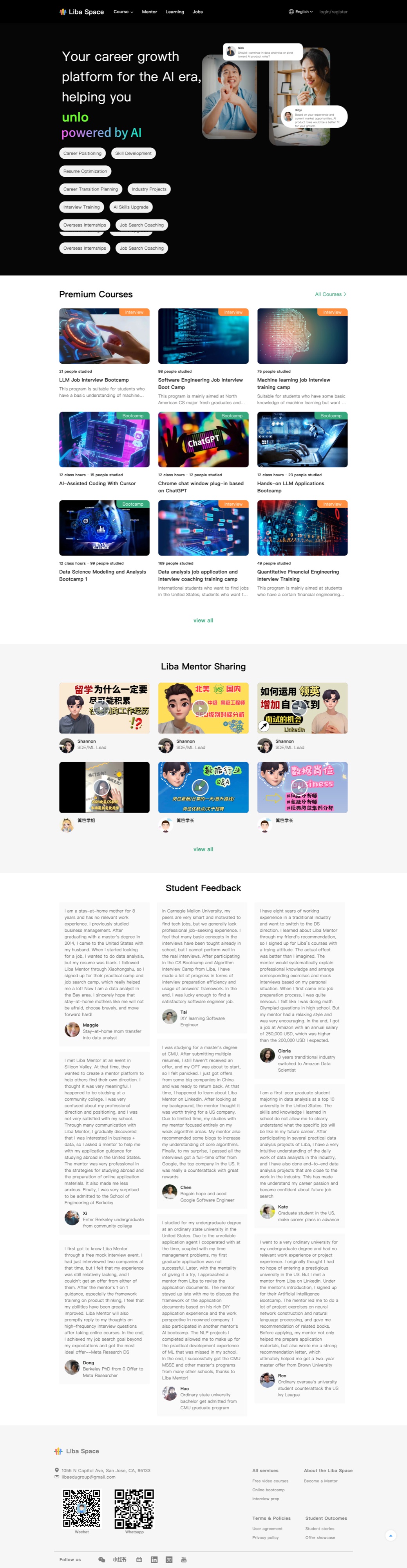
The original Liba Space homepage: a hero with service tags, a grid of course cards, a wall of mentor videos and long columns of student feedback.
Before The original libaspace.com homepage (scroll inside the frame)
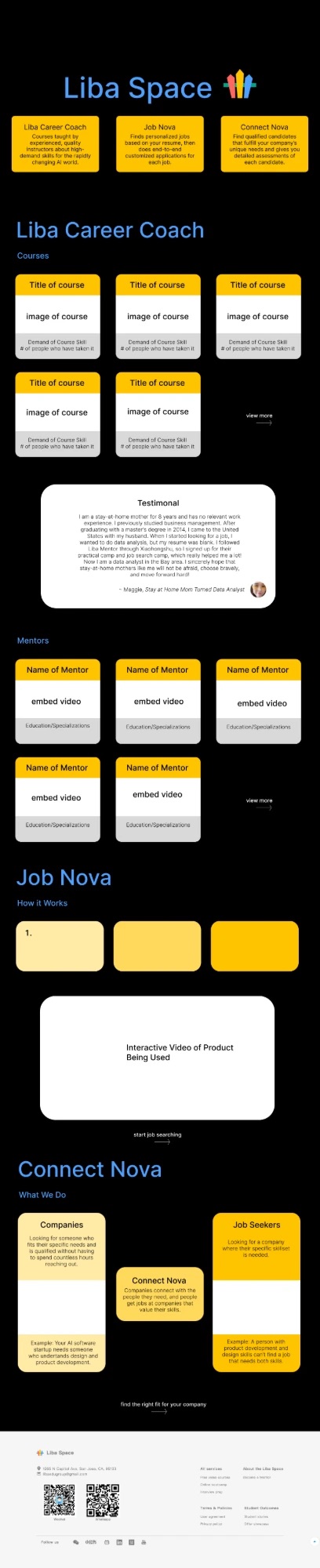
The Liba Space team’s wireframe: the wordmark over three product cards, then Career Coach courses and mentors, JobNova and ConnectNova sections.
Starting point The team’s wireframe for the new structure
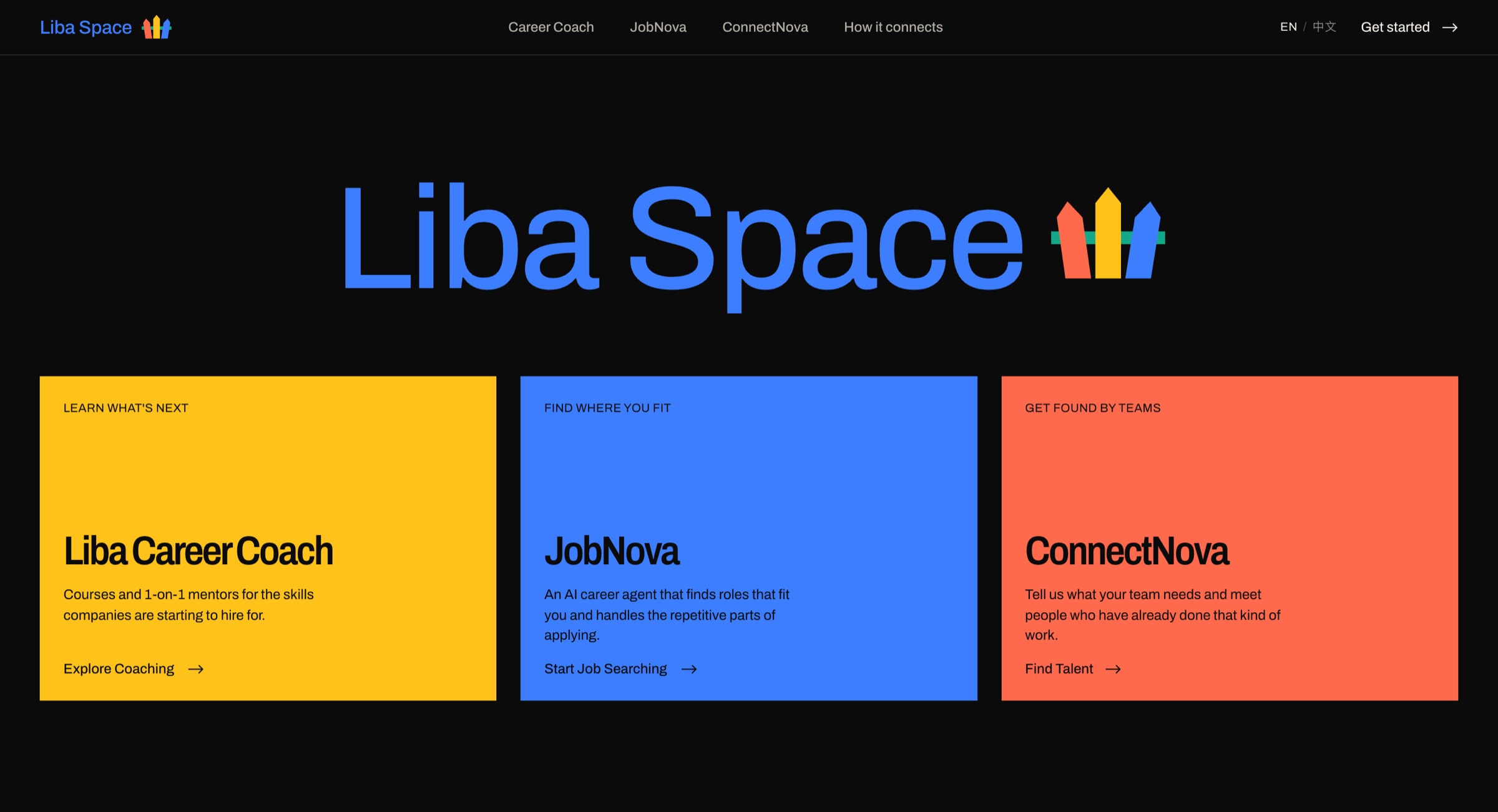
The redesigned hero: a giant blue Liba Space wordmark over yellow, blue and coral product modules on near-black.
After Hero: the wordmark, and the three products as the navigation
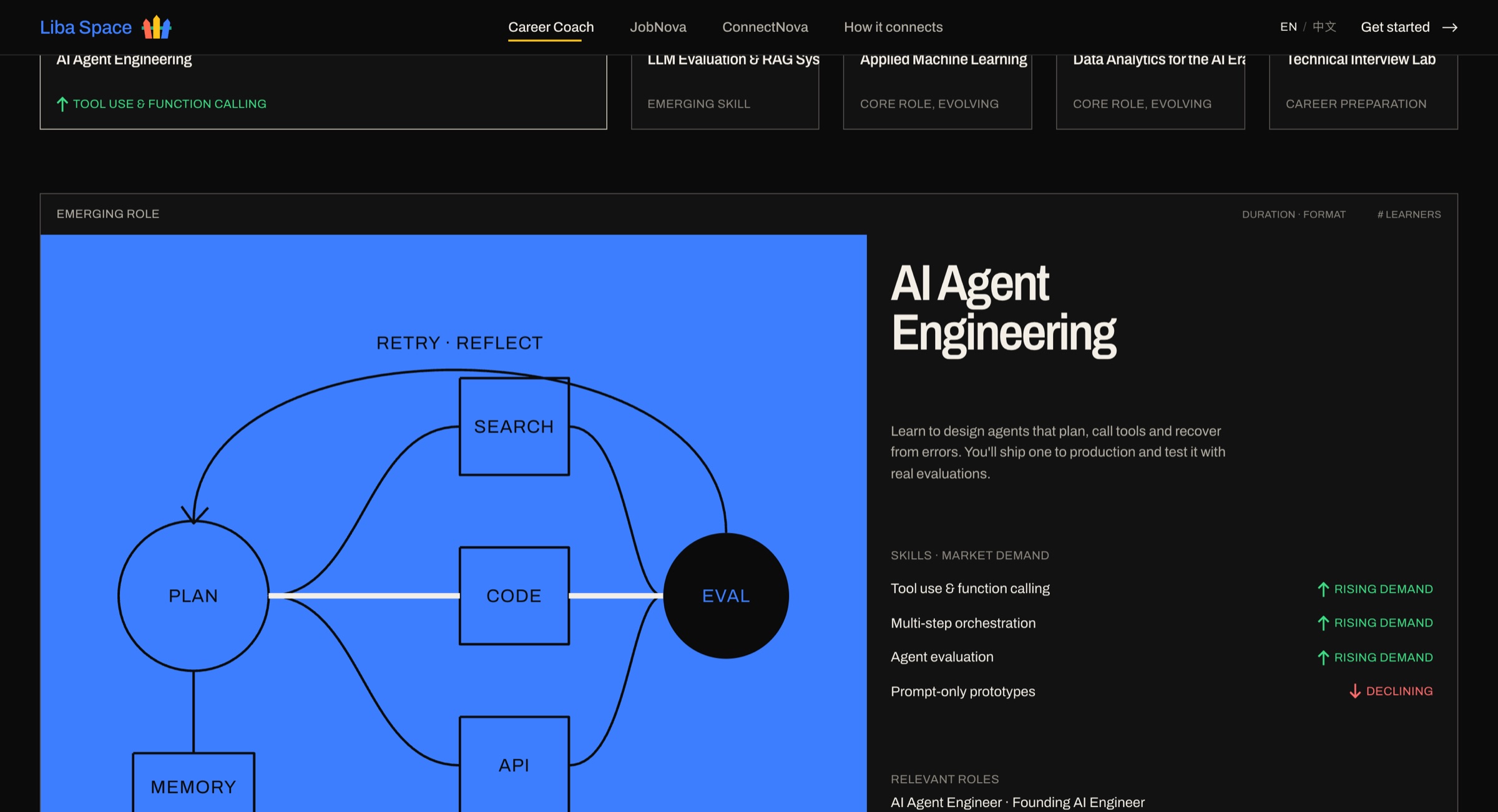
Course showcase: an AI agent engineering course with its diagram, skills and rising or declining demand indicators.
Courses, each showing which skills are rising or declining
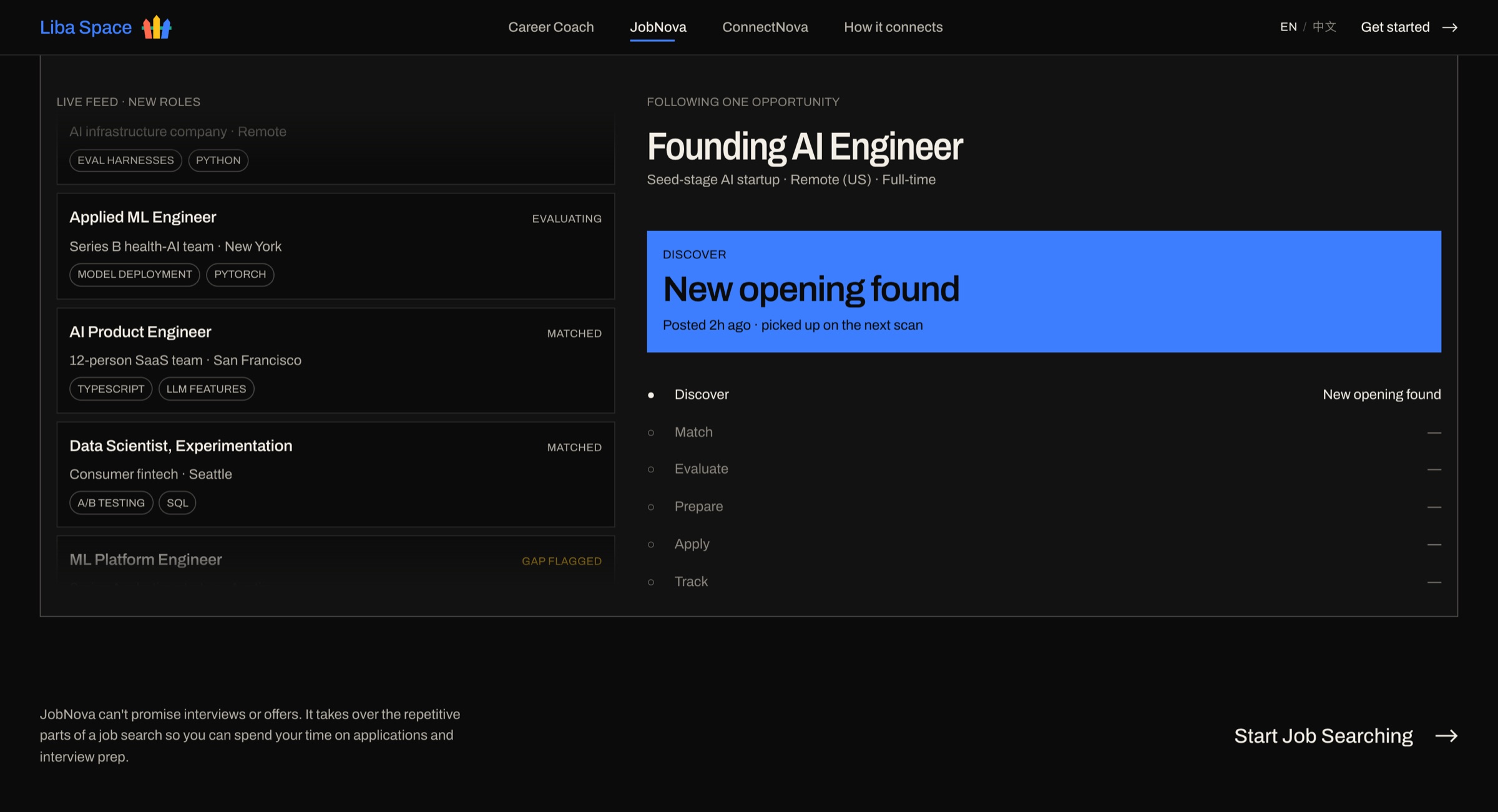
The JobNova agent console: a list of matched roles and a pipeline from discover to track.
The JobNova agent console, labeled as demo data
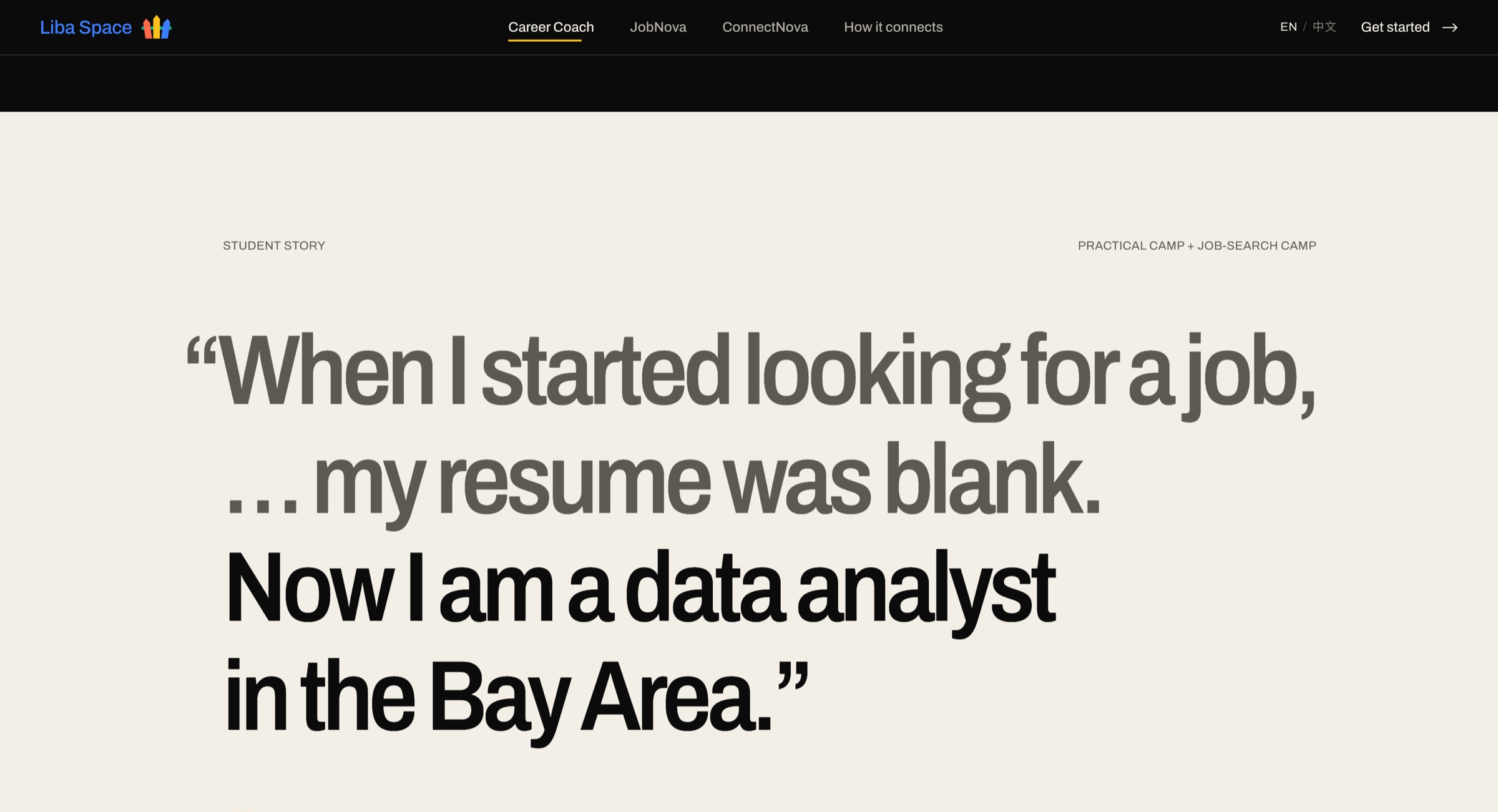
A student’s quote set large on warm paper: my resume was blank, now I am a data analyst in the Bay Area.
A student story set on paper to break up the dark page
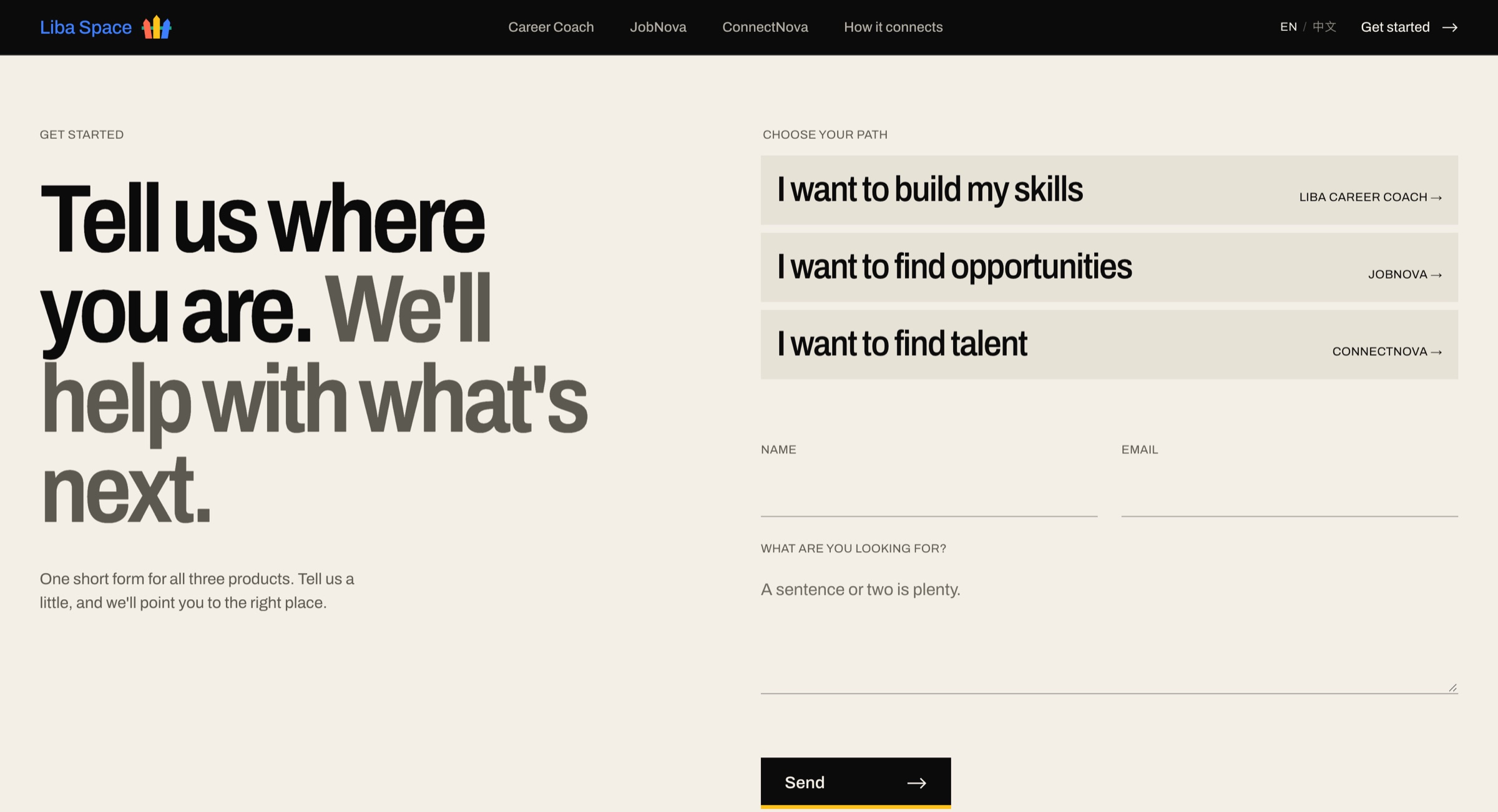
The get started form: a path chooser for build my skills, find opportunities or find talent, above name, email and message fields.
One form with three paths

Design choices

Color means product

The yellow, blue and coral come from the strokes in the Liba Space logo. Yellow is always learning (Career Coach), blue is always searching (JobNova) and coral is always hiring (ConnectNova), in the hero, the chapter panels, the nav underline and the form. Every colored block carries dark text, not white, so it stays readable.

The cards open into the chapters

As you scroll, each product card in the hero grows into its full-screen section. The motion shows that each product holds its own world, and each chapter opens with a line that hands off from the one before (“You’ve built the skills. The next question is where they’re needed.”).

Editorial, not “AI”

I avoided purple gradients, glowing robots and stock photos. It is a near-black page with warm paper breaks, oversized condensed type (Archivo) against small monospace labels (IBM Plex Mono), and a visible column grid.

Honest by default

No guaranteed jobs and no made-up numbers. Sample data is labeled and anything the team still has to supply is shown in brackets. Motion turns off for people who ask for reduced motion, and the page works without JavaScript.

What I changed along the way

  • Started the card-to-chapter animation earlier so it no longer lagged behind the scroll
  • Took the illustrations out of the hero cards to keep them clean
  • Evened out the phone padding and added dividers between ConnectNova’s question and answer pairs
  • Lined up the bottoms of the logo’s strokes, and gave the Send button a hover color while keeping its accent bar
  • Rewrote the copy so it reads less like it was generated
02 · Product page · In progress

Expert Match — UI/UX, Product Design, Frontend

Built with
Claude Code, Next.js, React, Tailwind
Pages
Requests, Experts, and Calls & Notes (scheduling and call notes)
Status
Three tabs built with sample data

Walkthrough

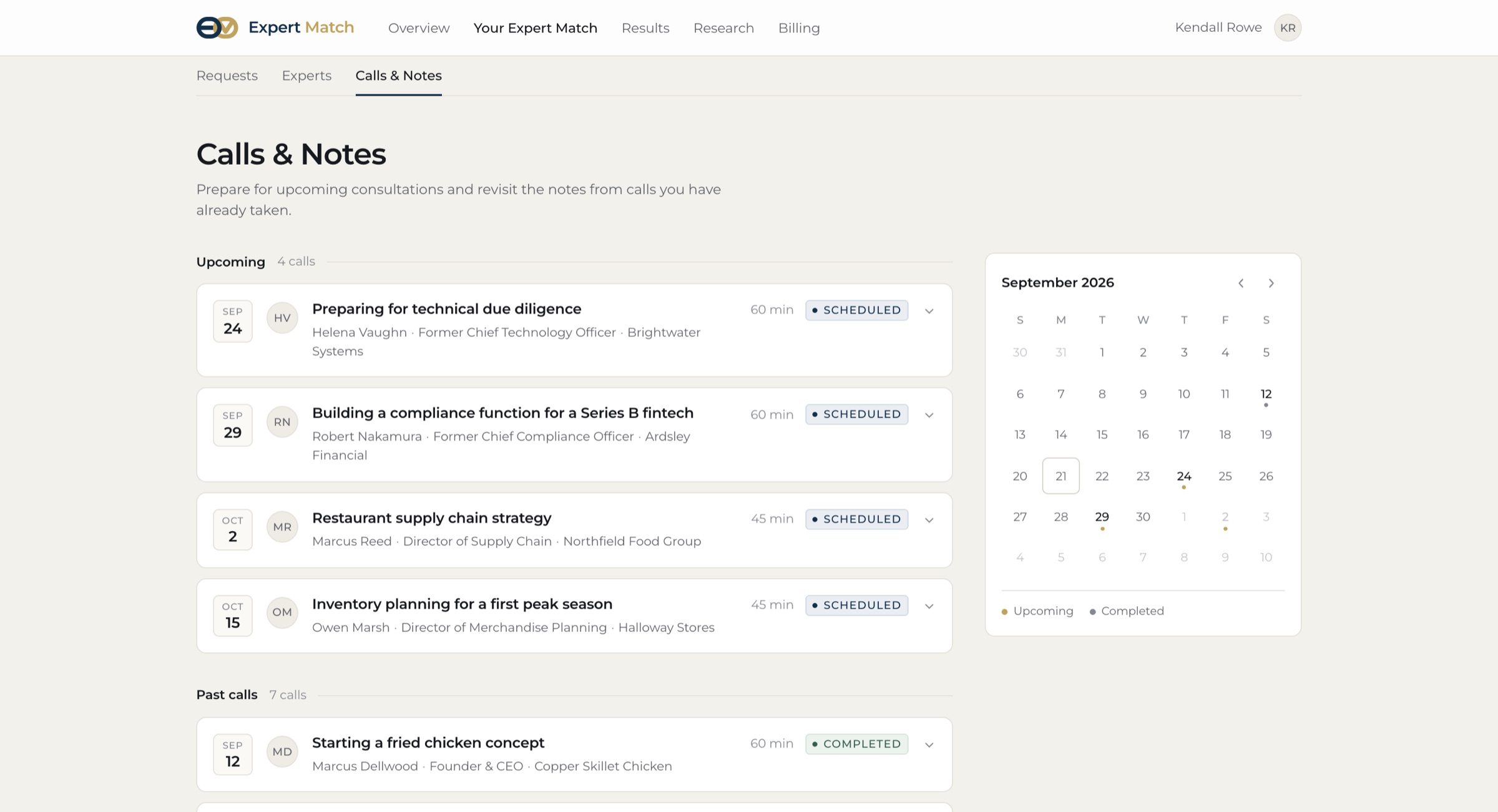
Searching and filtering requests, opening one, the Experts tab, then Calls & Notes: an upcoming call’s suggested questions and a past call’s notes.

Overview

Expert Match lets people pay experienced industry professionals for consultations, priced by seniority: roughly $800 an hour for an industry professional up to $1,600 for a founder or CEO. Someone opening a fried chicken restaurant could book an hour with a restaurant founder.

I designed the page where users come back to their history: what they asked, who they spoke to, what it cost, where it stands, and how to book again. It should feel like a premium research platform, not a freelancer marketplace.

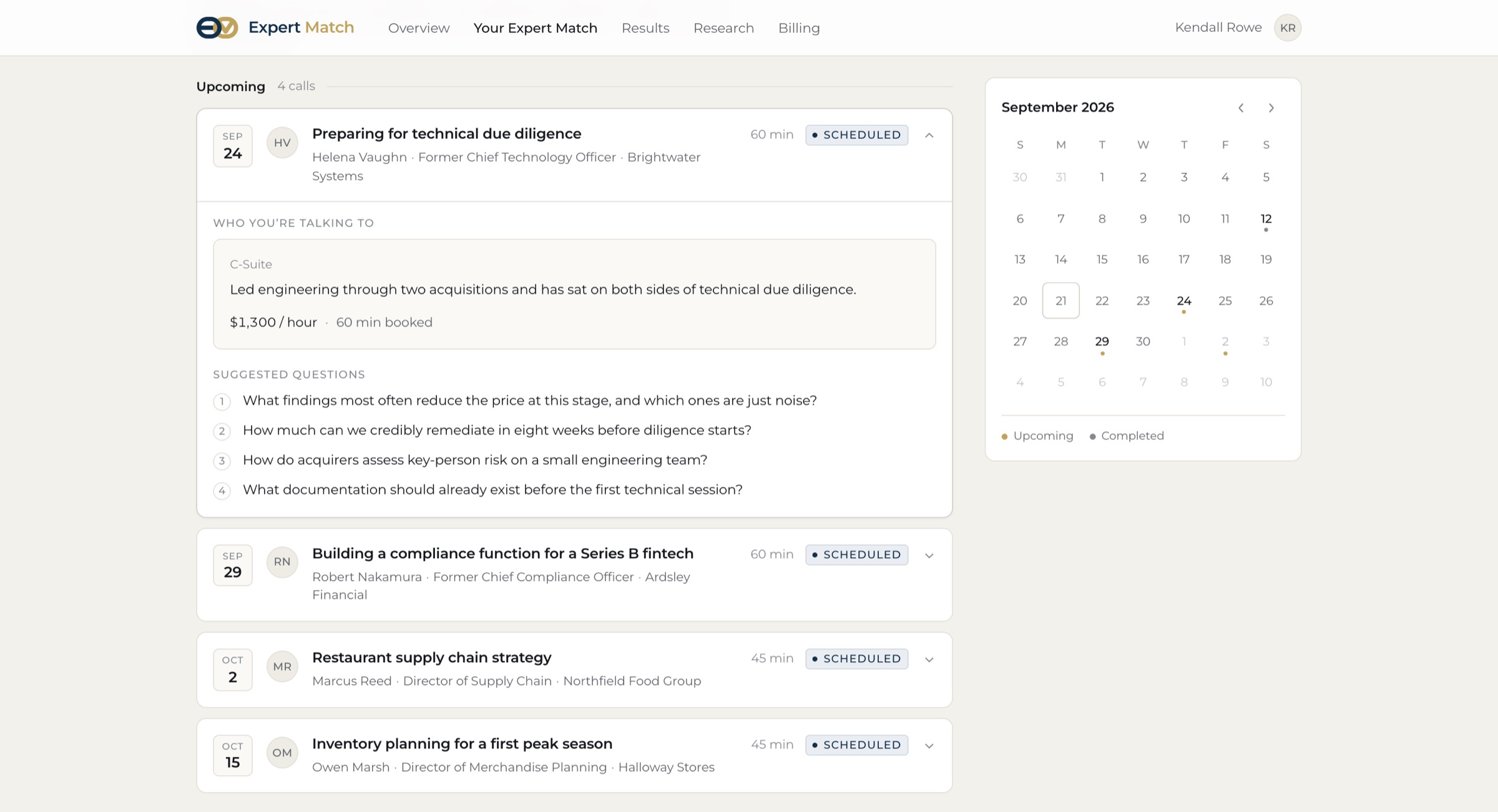
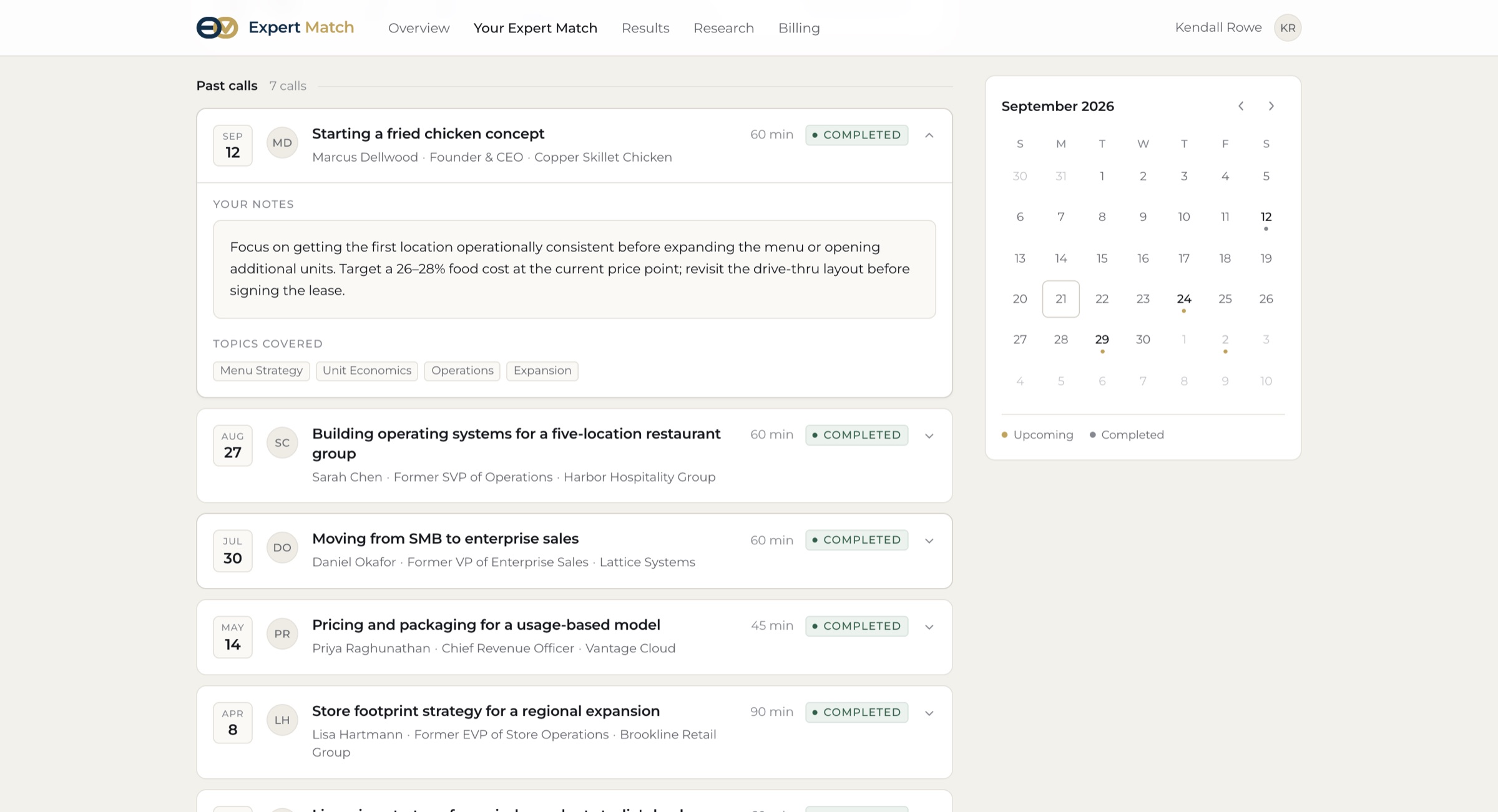
I also added a Calls & Notes tab for scheduling and follow-up. Upcoming calls sit beside a month calendar, and each one opens to show who you’re talking to and a set of suggested questions to prepare. After a call, AI-generated notes and the topics covered are saved with it, so the advice is still there when you need it again.

Design brief

Who is this design for

Founders and operators who have already booked experts and are coming back to their history

What is this design being used for

Scanning many past requests quickly: the question, industry, expert, status, rate, date and notes, then rebooking or finding someone similar

Where is this design being utilized

Inside the existing web app and its navigation, on desktop, tablet and phone

Order of importance I designed to: 1. the user’s question, 2. the industry, 3. the expert, 4. their role and credibility, 5. status, 6. rate and date, 7. secondary actions.

Before & after

Before There was no existing design, only a description of the company

Expert Match lets users pay experienced industry professionals for consultations based on their level of experience. Someone building a fried chicken restaurant might want advice from a founder or CEO of a major restaurant company (about $1,600 an hour), a senior executive (about $1,200) or an industry professional (about $800).

The starting brief. The page itself, its structure and every screen below were designed from this.
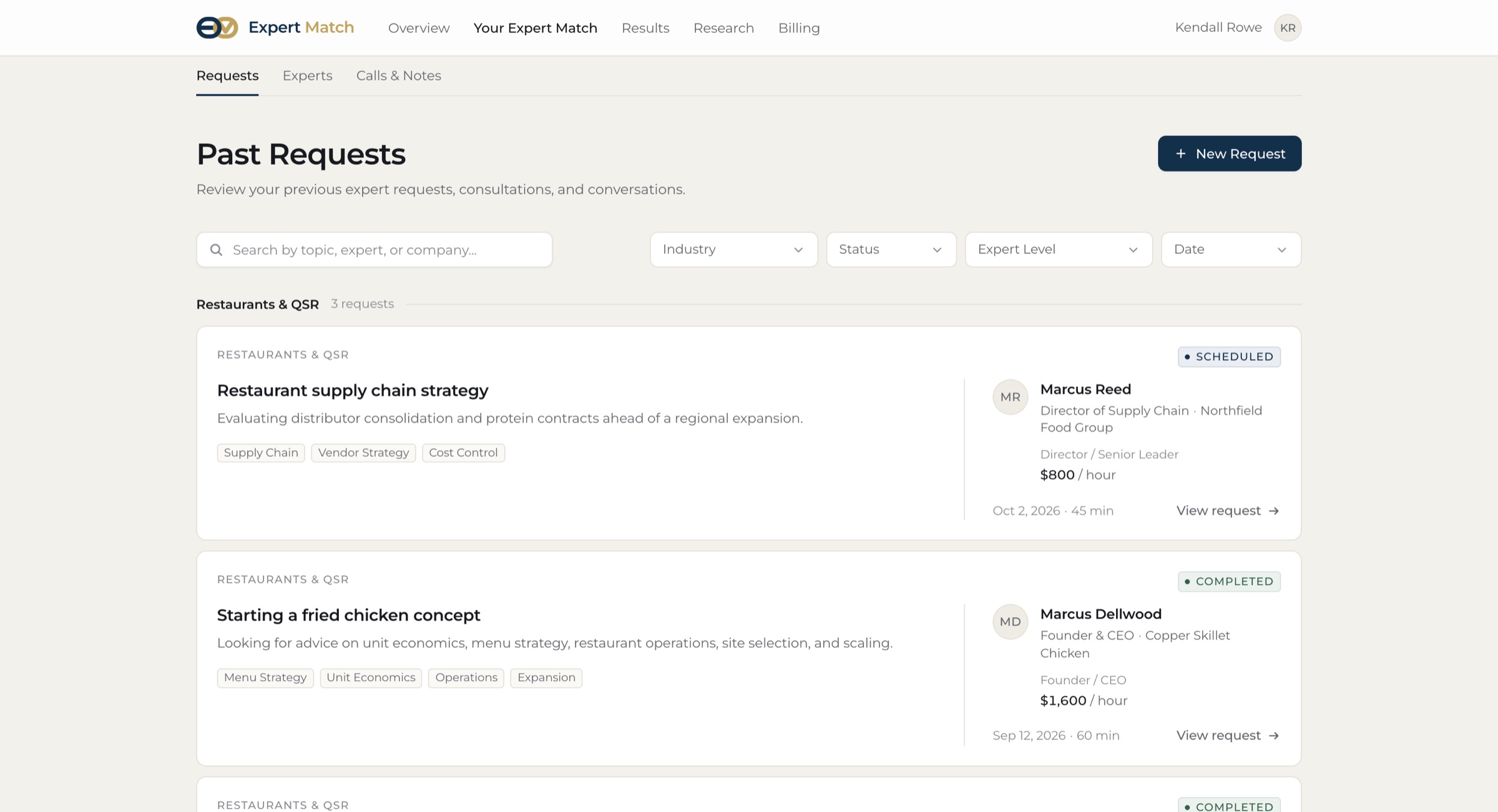
Past Requests: search, four filters, and request cards grouped by industry, each with the expert, status, rate and date.
After Requests: search, filters and cards grouped by industry
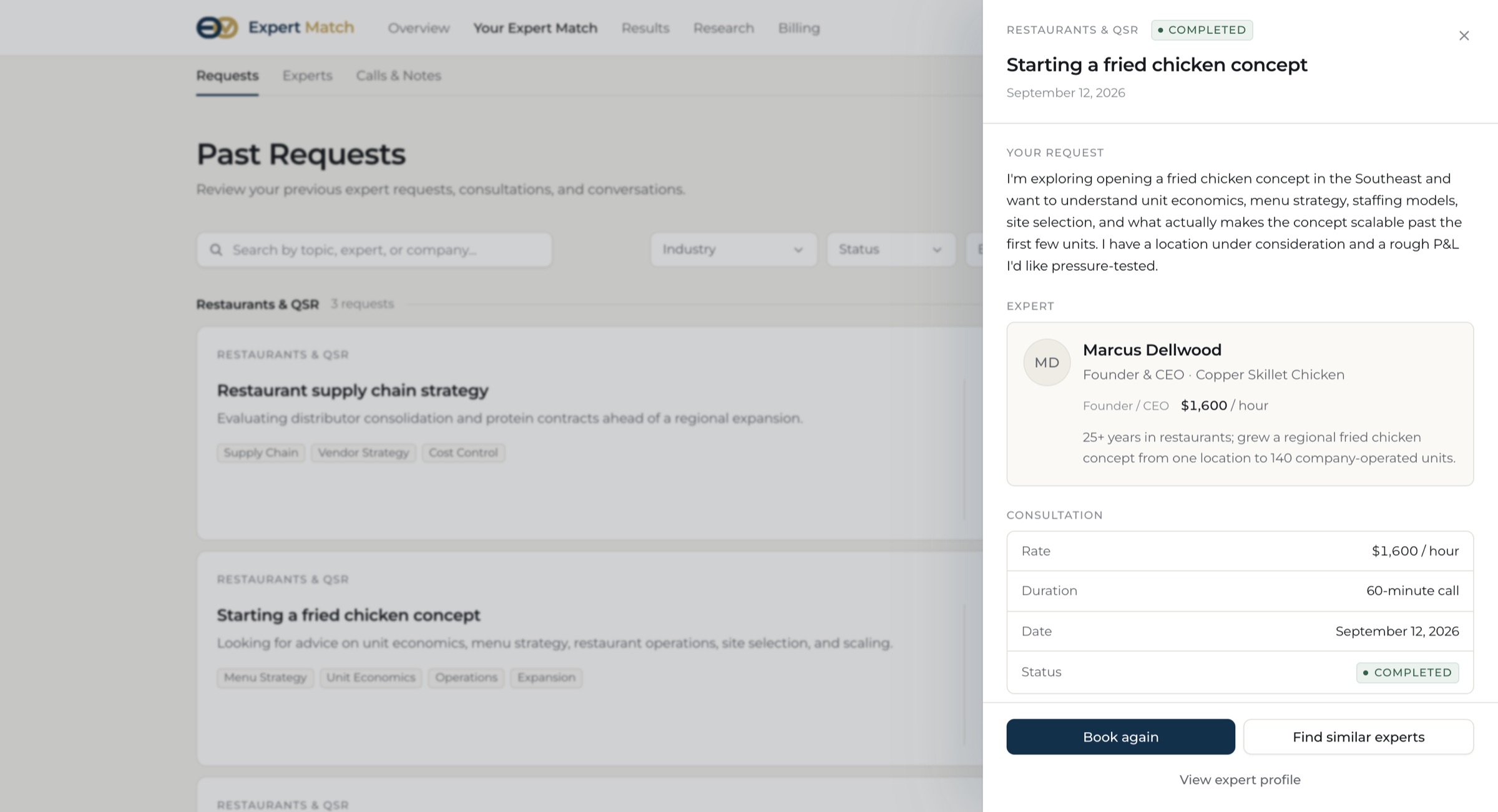
A request opened in a side drawer: the original request, the expert, consultation details and Book again.
A request opens in a side drawer, so the list stays in place
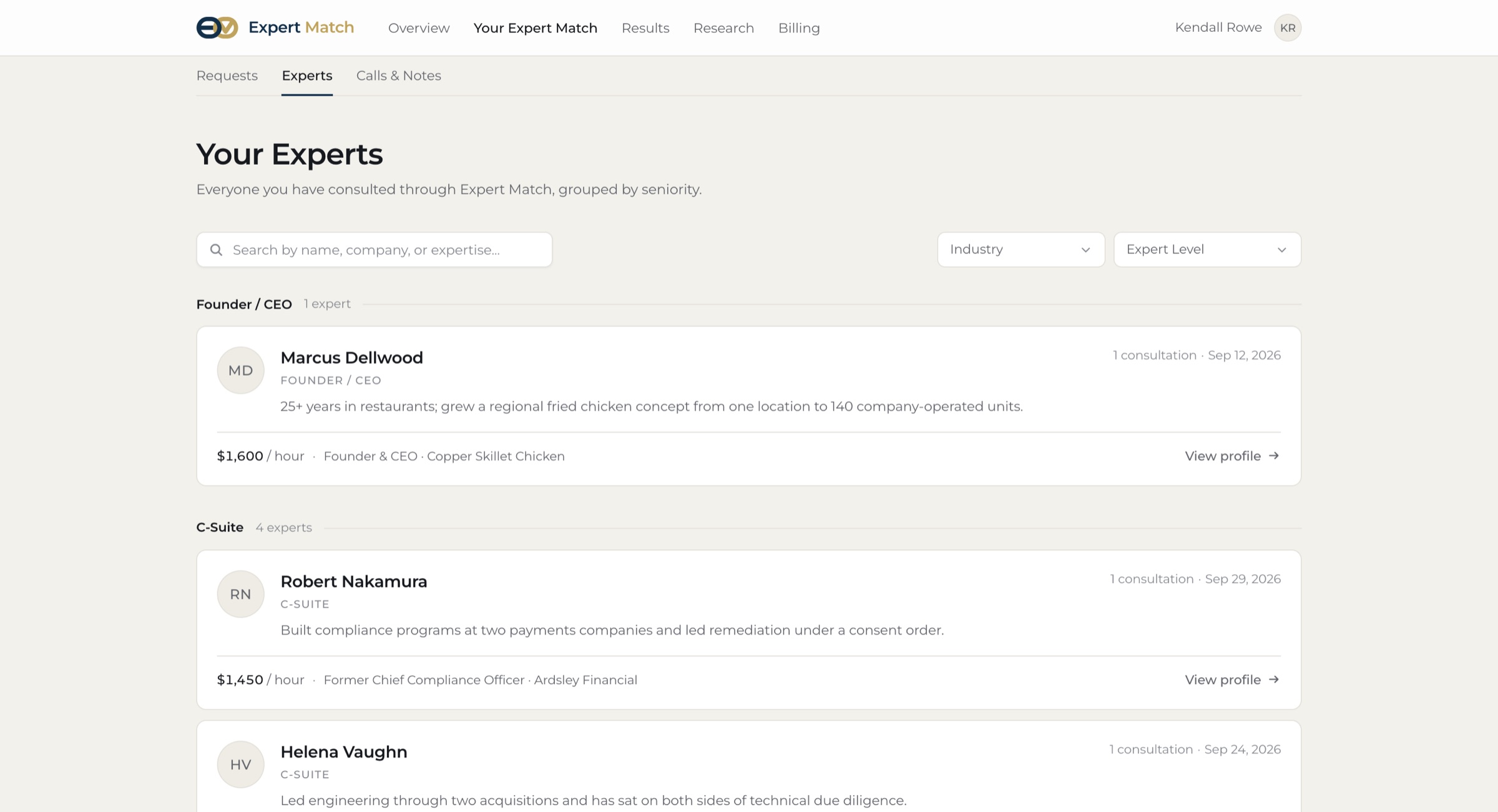
The Experts tab: everyone consulted, grouped by seniority, with rate, company and a view profile link.
Experts, grouped by seniority
Calls and Notes: upcoming and past calls listed beside a September month calendar with dots on call days.
Calls & Notes: the call list and month calendar stay in sync
An upcoming call opened: who you are talking to, their rate and booked time, and four numbered suggested questions.
Before a call: who you’re talking to and suggested questions
A past call opened: the notes from the call and the topics covered as tags.
After a call: AI-generated notes and the topics covered

Design choices

The question matters more than the price

Each card leads with the request title and the industry, and the rate sits small in the expert’s block. I didn’t want the page to look like people were being sold for $800 or $1,600.

Cards that scan like a table

A spreadsheet would flatten the hierarchy and big cards would waste space, so each request is a compact bordered row. The request is on the left and the expert on the right, and the list is grouped by industry until you search or filter.

Quiet status and human labels

Completed gets a soft success tone and Scheduled a restrained blue. Cancelled is muted, not alarm red. Seniority uses real titles (Founder / CEO, C-Suite, Director) instead of “Tier 1”.

A drawer, not a new page

Opening a request slides in a sheet with the original question, the expert, the consultation and your notes, then Book again or Find similar experts. You keep your place in the list, and on a phone it goes full screen.

Prepare before, remember after

A consultation doesn’t end at booking. Calls & Notes follows it through: upcoming calls show the expert’s background and suggested questions tied to your request, so an expensive hour starts with the right questions. Past calls keep AI-generated notes and the topics covered, and the calendar marks upcoming and completed calls in two quiet colors.

What I changed along the way

  • Added the Calls & Notes tab with scheduling, suggested questions and AI-generated notes
  • Lined the avatar and the date up on the same left edge in every card
  • Gave the Experts tab the same card format, avatar on the left and credentials on the right
  • Kept the tablet nav on one line with even spacing
  • Replaced the placeholder heading with the Expert Match logo and matched the colors and font to the brand

03 · Supply chain console · Prototype

Schumbl Schmookies — UI/UX, Branding, Prototyping

Built with
Figma, Figma Make
Prompt
Spark Red design technical assessment

Walkthrough

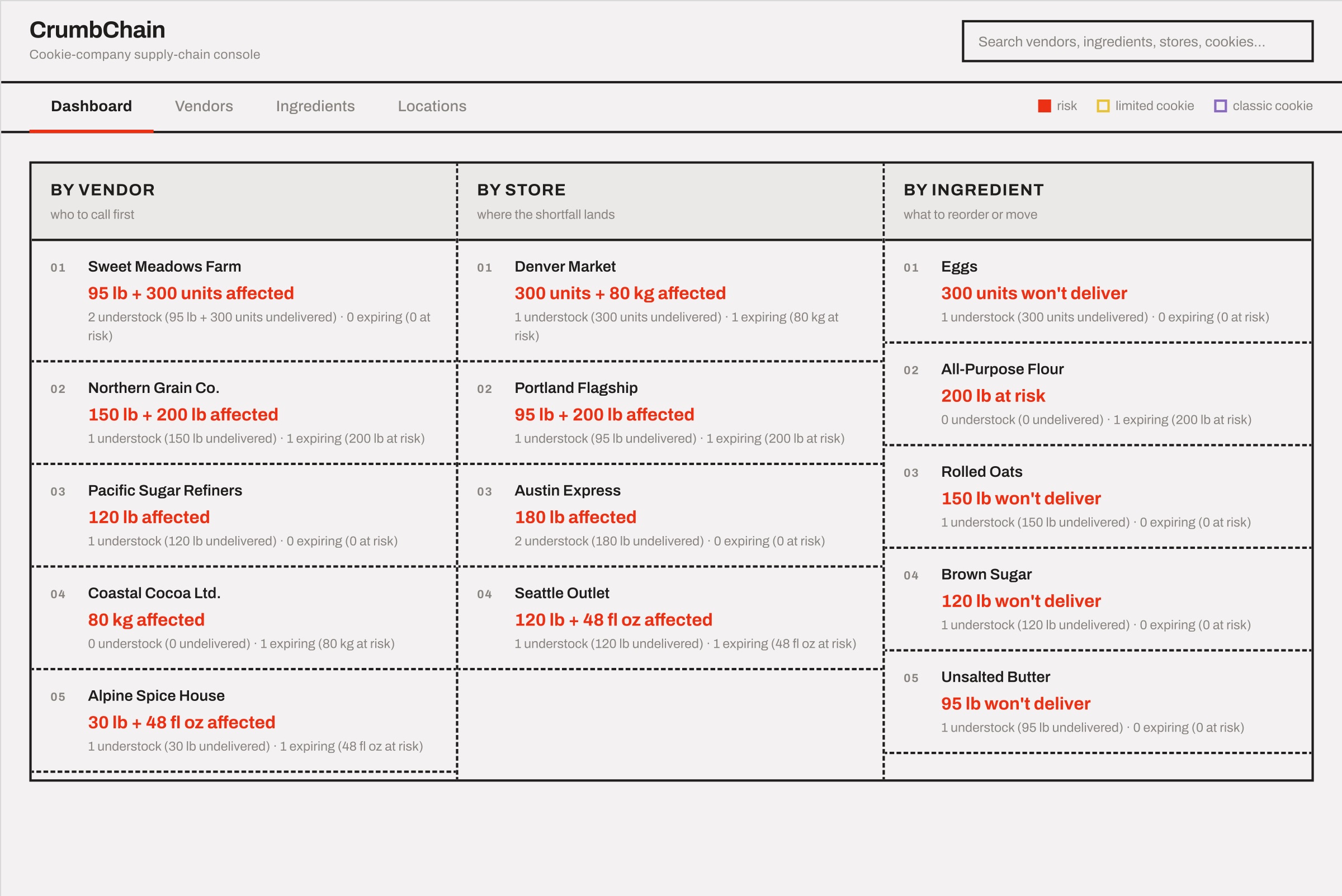
The dashboard, global search, then the Vendors, Ingredients, Locations and Transfers views.

Overview

For the Spark Red design assessment I built a supply chain console for Jimmy, who runs ingredients for Schumbl Schmookies, a chain of bakeries. It is a desktop table with several views of the same data (vendors, ingredients, locations) and a transfer feature, so an expiring or short batch turns straight into an action instead of just a warning.

Design brief

Jimmy manages the supply chain for Schumbl Schmookies and needs an easier way to manage ingredient quantities: keep track of batches, keep losses from expiration low, and make sure every bakery has what it needs.

Brief, summarised from the Spark Red assessment. It asked me to choose the interface, prioritise the data, account for multiple suppliers and batch prices, and document the process in Figma.

Who is this design for

Jimmy, supply chain manager of Schumbl Schmookies

What is this design being used for

Manage ingredient quantities, minimise loss from expiration or insufficient stock, and make sure each bakery has what it needs

Where is this design being utilized

A nationwide cookie chain: ingredients, suppliers, recipes, bakery locations and vendors, on desktop

Before & after

Lo-fi wireframe of the dashboard: three leaderboard columns by vendor, store and ingredient.
Before Lo-fi wireframe: dashboard
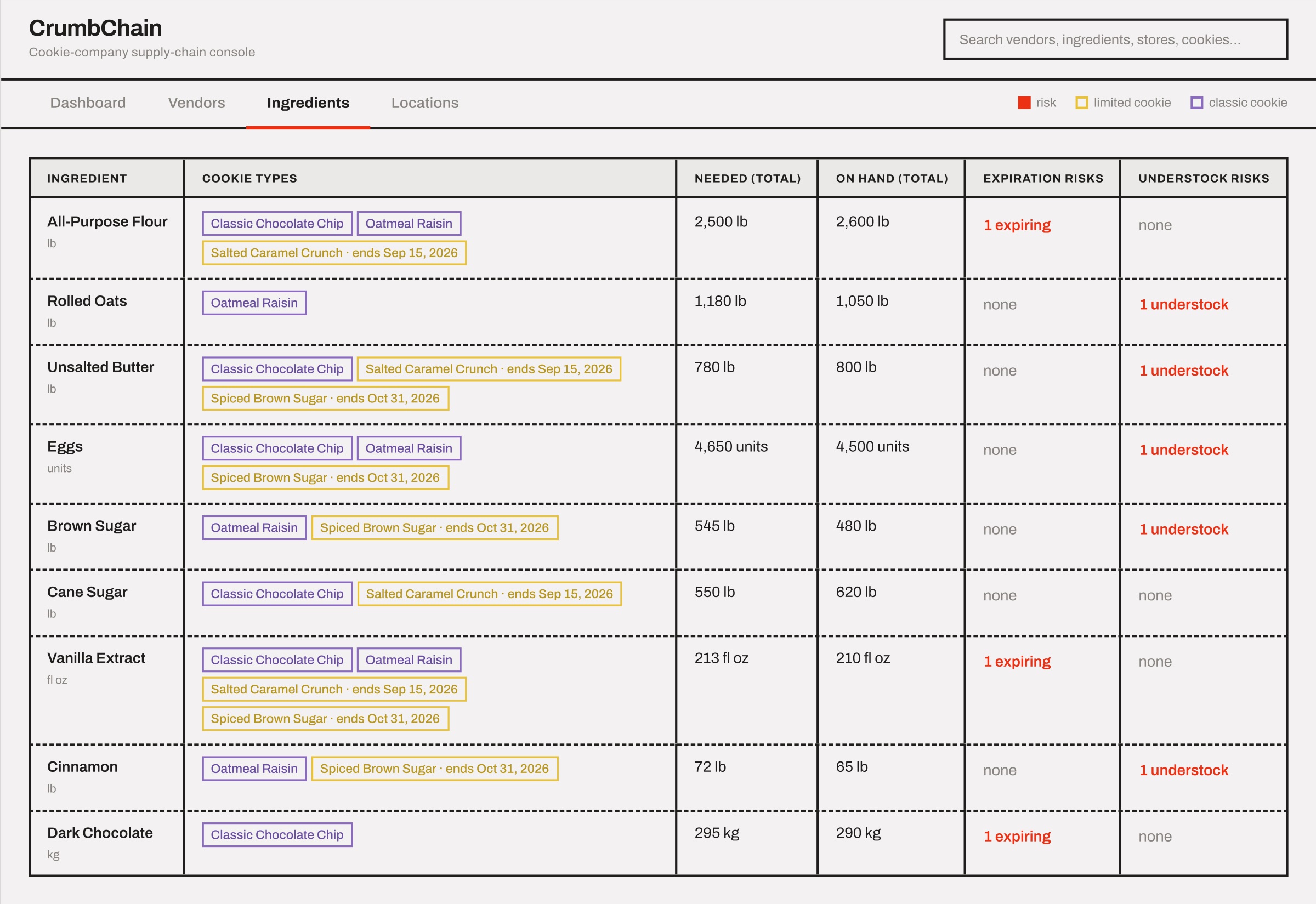
Lo-fi wireframe of the ingredients table: cookie types, totals needed and on hand, and risk counts.
Before Lo-fi wireframe: ingredients
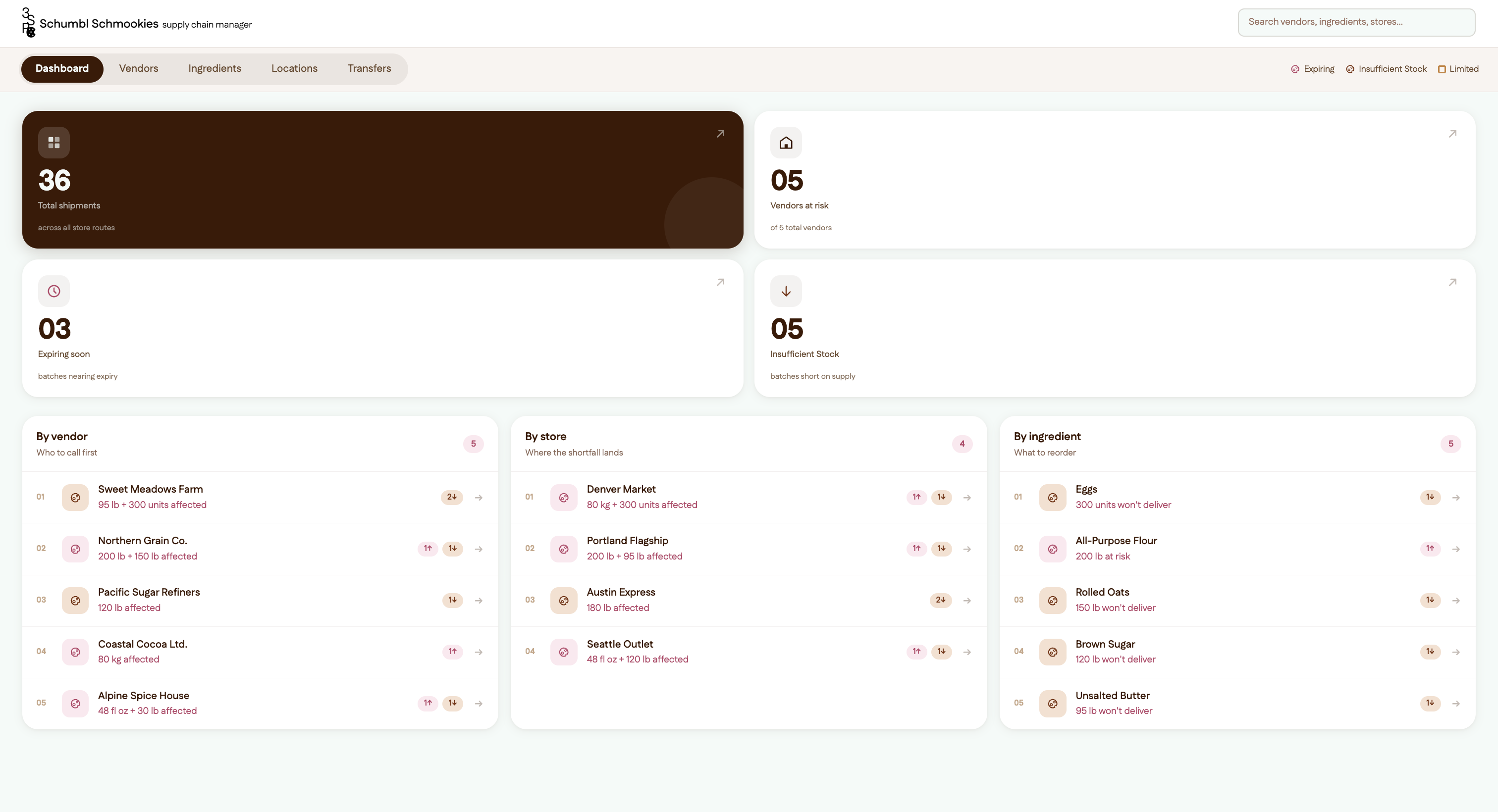
The final dashboard: total shipments, vendors at risk, expiring and insufficient stock, above leaderboards by vendor, store and ingredient.
After Dashboard
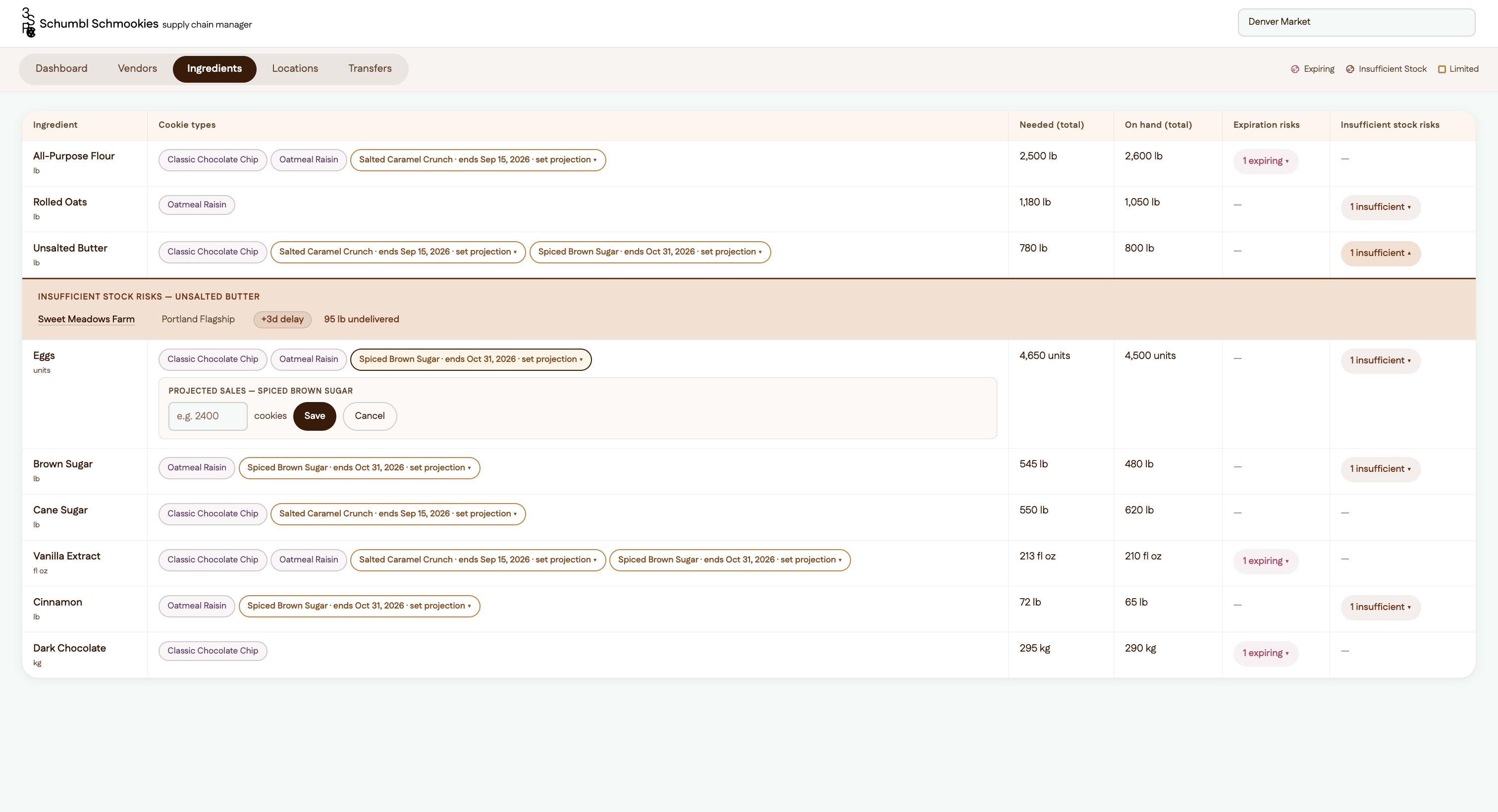
The ingredients page with an insufficient stock row opened in place, and the projected sales editor for a limited edition flavour.
After Ingredients
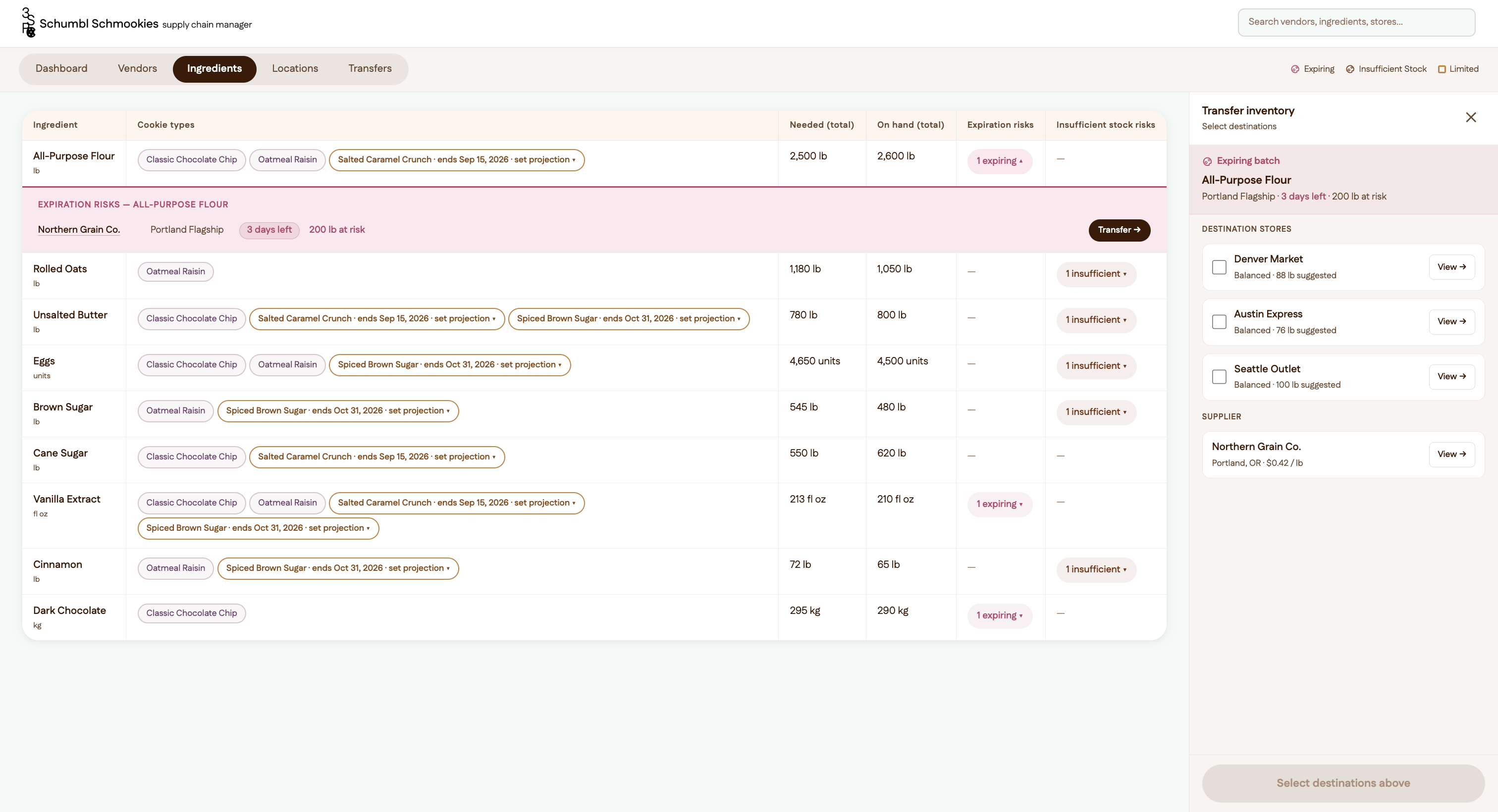
The transfer panel open beside the table, listing destination stores and the supplier for the expiring batch.
The transfer panel, opened from an expiring badge
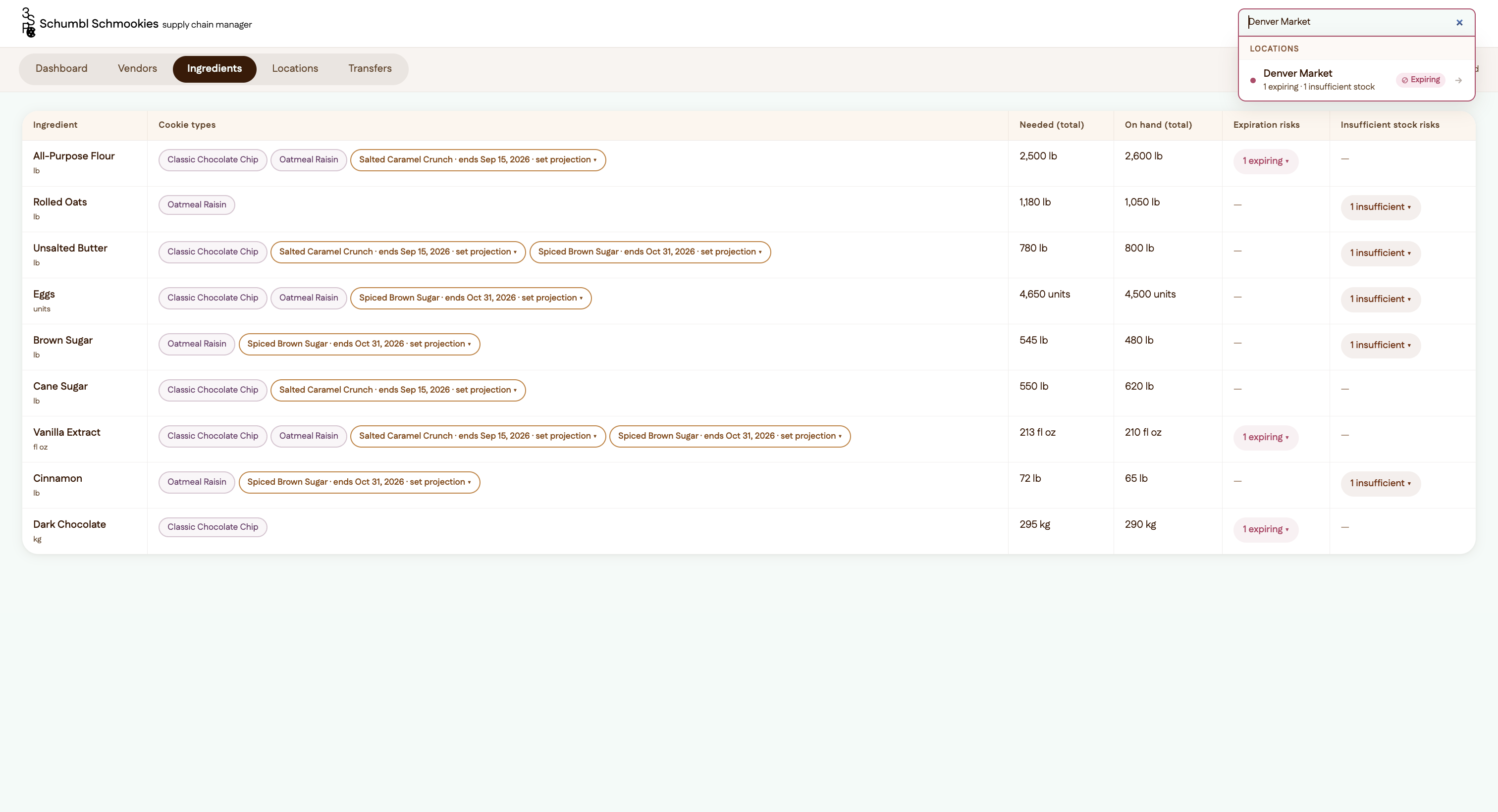
Global search on a store, the dropdown grouping results and showing the risks against it.
Global search, grouped by vendor, ingredient and location

Design choices

One set of data, several views

Every one of Jimmy’s needs uses the same data (vendors, locations, ingredients) in a different shape. A table on desktop shows the most at once and lets him switch views, for example jumping to Ingredients when one crop has a problem.

From warning to action

Testing the first prototype, I found there was no way to act on a risk. Now an expiring batch opens a transfer panel that suggests the nearest store that’s short on stock, or the best vendor to contact. Each choice goes into a transfer queue that works as Jimmy’s task list.

Search that takes you there

With this much data, scrolling was tedious. Global search groups results by vendor, ingredient and location, shows each one’s risk, and jumps to that view with the item already selected.

A cookie brand on a clean tool

From competitor research I kept the clean, sans-serif, tech-app layout and white background. I made it Schumbl’s own with an espresso and mint palette, cranberry and burnt sienna for the two kinds of risk, cookie illustrations as icons, and a 3S+P+C logo that uses a cookie for the C.

How Figma Make fit in

I did the brief breakdown, data mapping and wireframes by hand in Figma, then used Figma Make to build the working prototype across seven drafts: palette, a card-based redesign, an accessibility pass, the transfer feature, global search, a design-system refresh and final polish.